Volunteer Connect
Designed a mobile app aimed to simplify the process of finding and signing up for volunteer events in local communities.
Key Features and Wireframes
Key Features
Event Discovery:
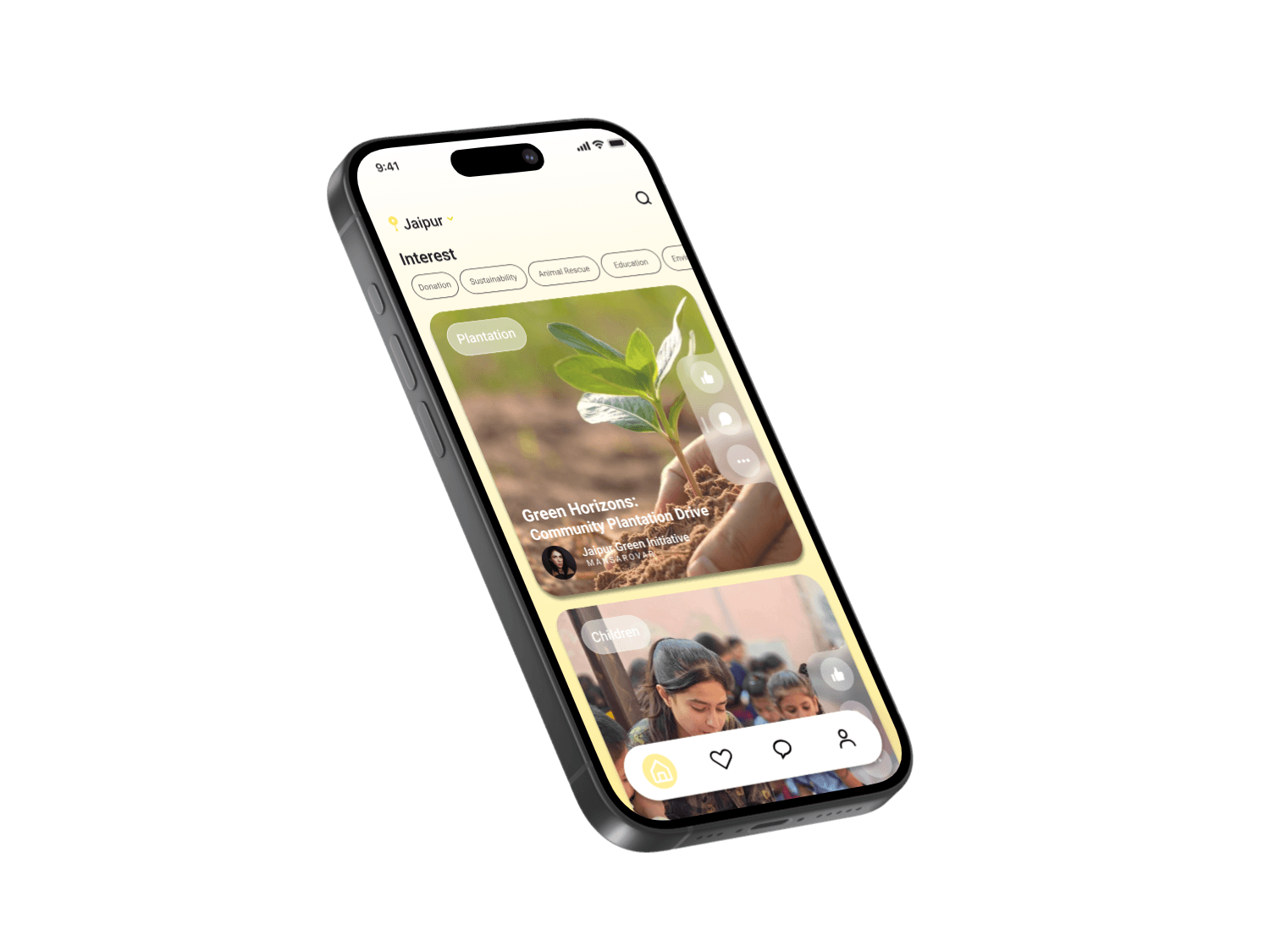
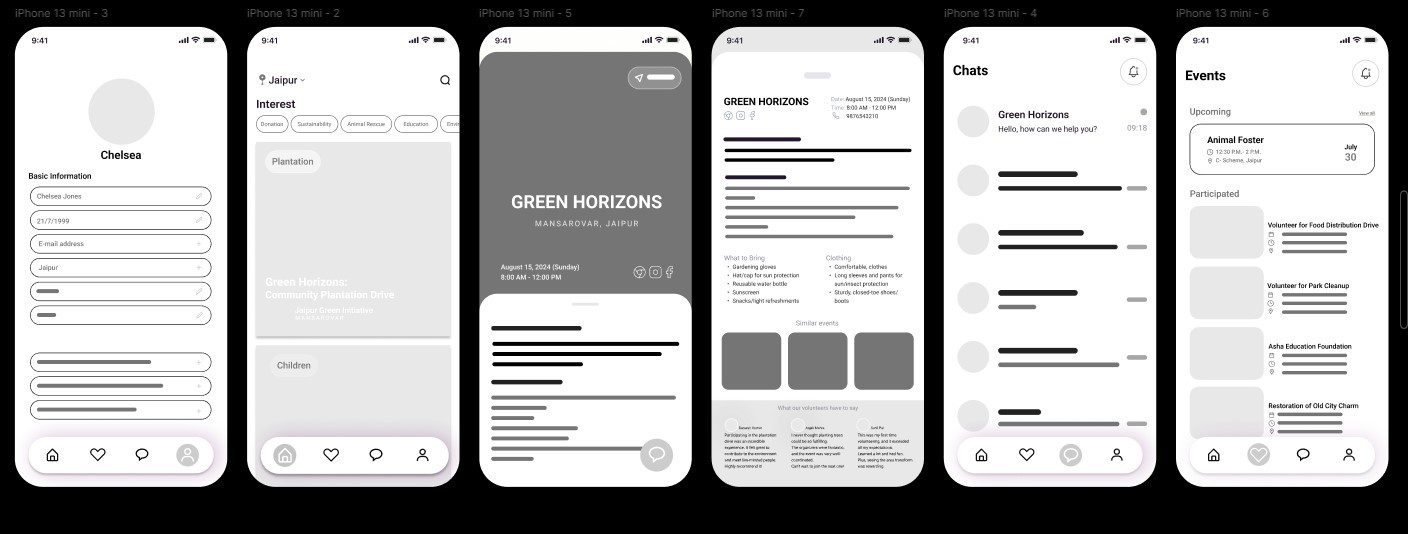
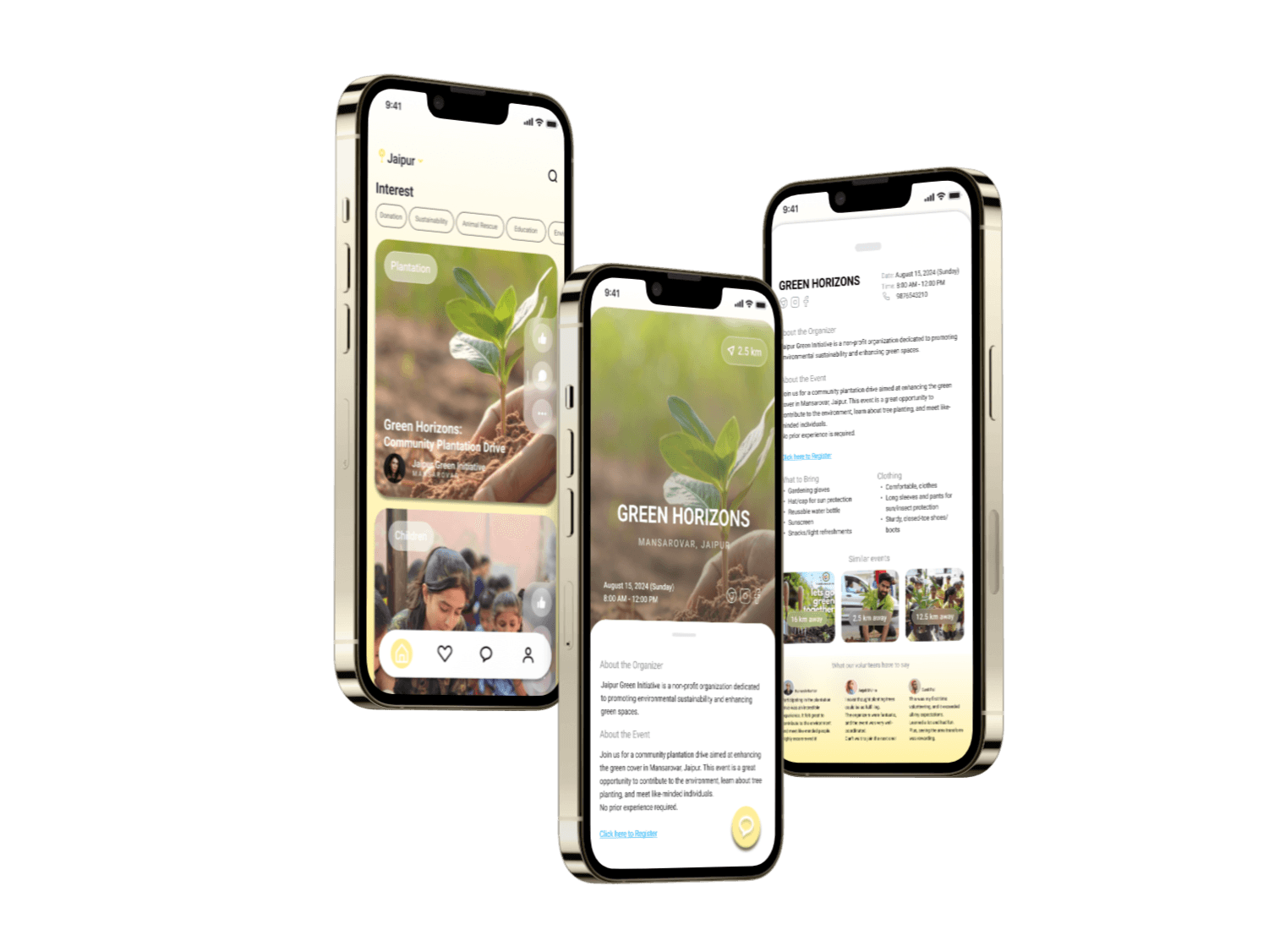
Search and Filter: Users can easily search for events based on location, date, cause, and keywords. Filters help narrow down choices to find the perfect match. This feature is evident in the ability to filter events by categories like "Plantation," "Children," "Animal Rescue," "Education," "Environment," "Donation," and "Sustainability.Event Details:
Comprehensive Information: Provides users with all the necessary details in one place, ensuring they are well-prepared and know exactly what to expect, addressing Chelsea's concern about preparation.User Reviews and Ratings:
Testimonials: Users can read reviews and testimonials from past participants, building trust and confidence in the event.Event Recommendations:
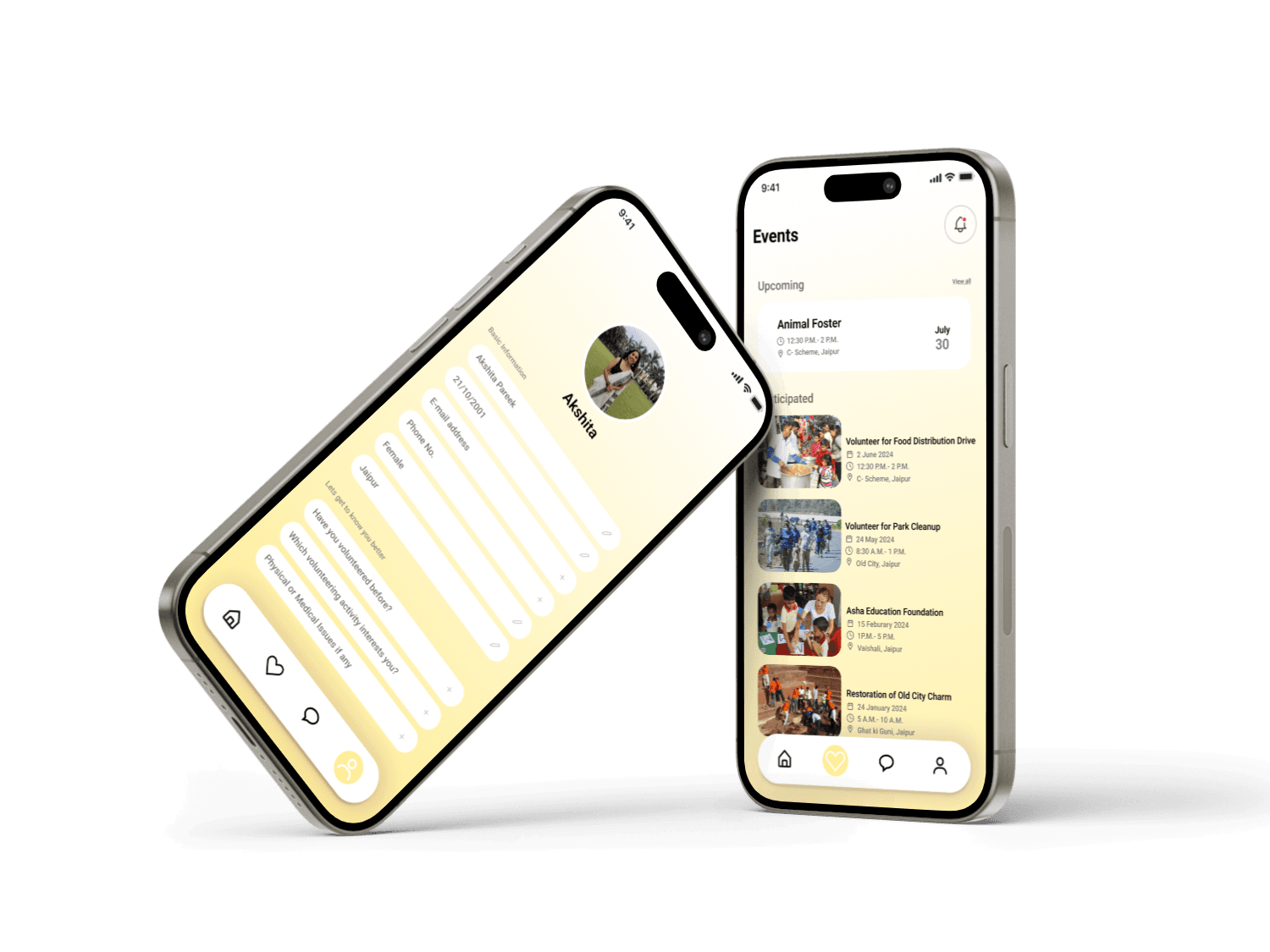
Personalized Suggestions: Based on user interests and past participation, the app recommends events that align with their preferences.Registration and Participation:
Users can register for events directly through the app with just a few taps. The document mentions a "Click here to Register" link for easy event registration.Community and Engagement:
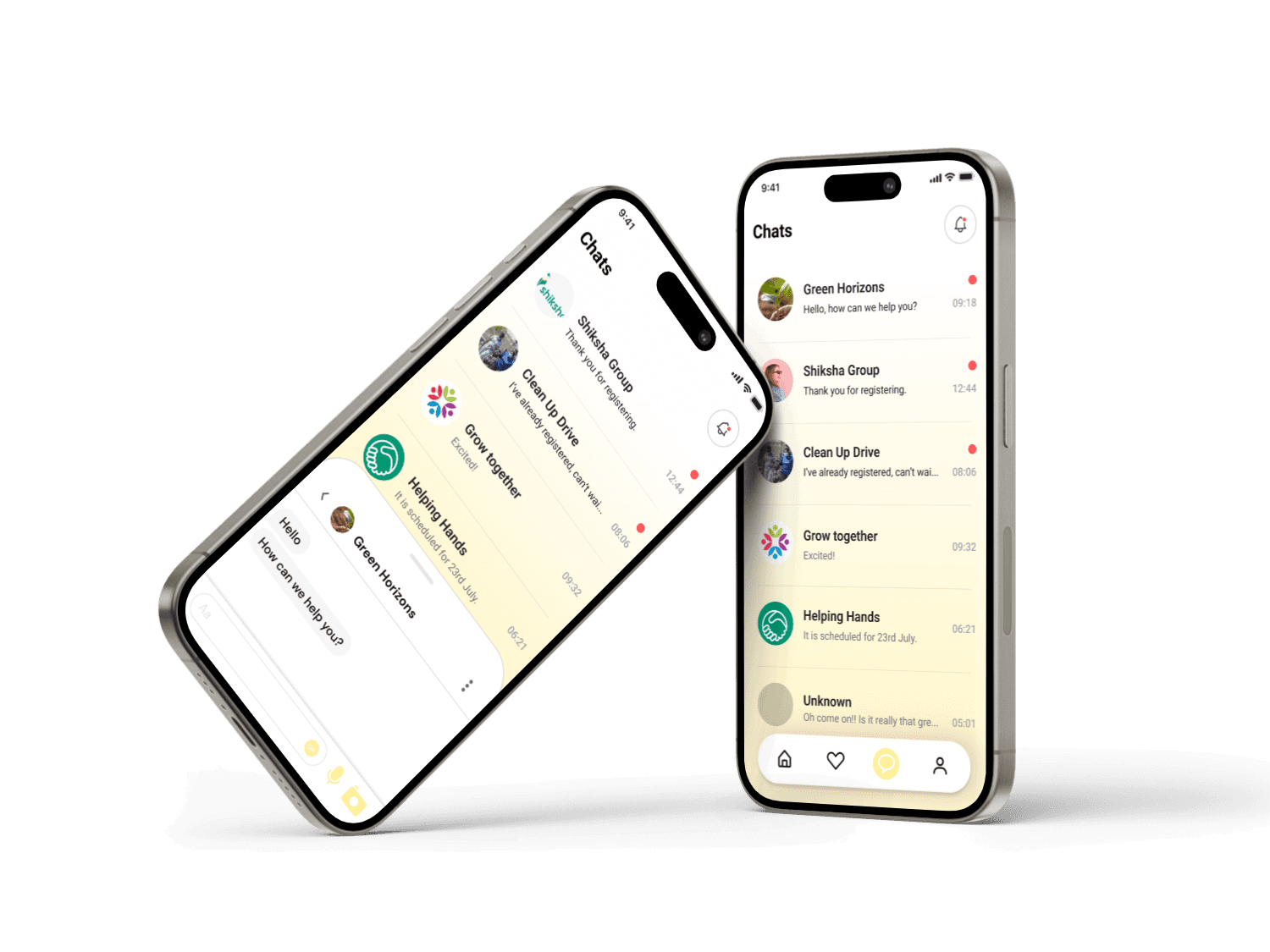
Chat and Messaging: Integrated chat features allow volunteers to communicate with event organizers and other participants.
Wireframing:
Created low-fidelity wireframes for the proposed features.
Conducted initial user testing to gather feedback and iterate on designs.
UI Design and Prototypes
Color Scheme
Yellow (#FFEB3B): Associated with positivity, optimism, and energy. Also evokes feelings of happiness and encouragement, making users feel more enthusiastic about participating in volunteer activities.
White (#FFFFFF): For backgrounds and clean spaces, ensuring readability and a clutter-free interface.
Grey (#9E9E9E): For secondary text and icons, providing contrast without overwhelming the primary content.
Typography
The app uses the Roboto font family, which is known for its clean, modern, and highly readable characteristics.
Roboto Regular: Body Text: Used for regular text in event descriptions, messages, and other content-heavy areas. It ensures readability and a smooth reading experience.
Roboto Bold: Headings and Titles: Employed for headings, event titles, and important labels to create a clear hierarchy and draw attention to key information.
Roboto Medium (500): Buttons and Highlights: Used for buttons, actionable text, and emphasis within the body text to make interactive elements stand out.
The cohesive design of Volunteer Connect ensures a seamless user experience by combining intuitive UI elements, a harmonious color scheme, and legible typography.
Reflections
Working on Volunteer Connect was an invaluable opportunity to apply UX/UI design principles in a real-world setting, contributing to a product that promotes social connectivity and community engagement. Designing this app challenged me to think creatively about how to meet user needs and preferences, enhancing my skills in research, design, and collaboration.